campoetry
campoetry
Born out of a friend’s season of heavy burnout, Campoetry was created as
a co-creator for their creative self-expression.
Born out of a friend’s season of heavy burnout, Campoetry was created as
a co-creator for their creative self-expression.
Born out of a friend’s season of heavy burnout, Campoetry was created as a co-creator for their creative self-expression. It helps them turn ordinary, everyday snapshots into personal poetry.

My Role: Product Designer & Builder
Designing for emotional expression without creative demand
Before Campoetry, my friend tried Notes apps, Paper & Pen & social media, however, all of them were not built for people exhausted like them.
This was why I created Campoetry, as a tool that meets them where they are.
Designing for emotional expression without creative demand
Before Campoetry, my friend tried Notes apps, Paper & Pen & social media, however, all of them were not built for people exhausted like them.
This was why I created Campoetry, as a tool that meets them where they are.
How a season of burnout inspired a digital santuary for creative self-expression
Campoetry is an interactive co-creation prototype designed to bridge the gap between heavy internal emotions and creative self-expression.
It allows individuals to transform ordinary environmental inputs into comforting written expressions when they lack the words to do so themselves.
How a season of burnout inspired a digital santuary for creative self-expression
Campoetry is an interactive co-creation prototype designed to bridge the gap between heavy internal emotions and creative self-expression.
It allows individuals to transform ordinary environmental inputs into comforting written expressions when they lack the words to do so themselves.

Reducing Choice Paralysis
Overview:
I noticed that during stressful moments, simple tasks were overwhelming for my friend. Having to explain feelings, write long entries, or make too many choices created friction.
Reducing Choice Paralysis
Overview:
To make reflection feel effortless,
I designed a simple three-step flow: capture a moment, choose poetry style, and receive a personalized poem. The goal was to reduce effort and deliver emotional value within seconds.
Reducing Choice Paralysis
Capture the Moment / Choose from Gallery
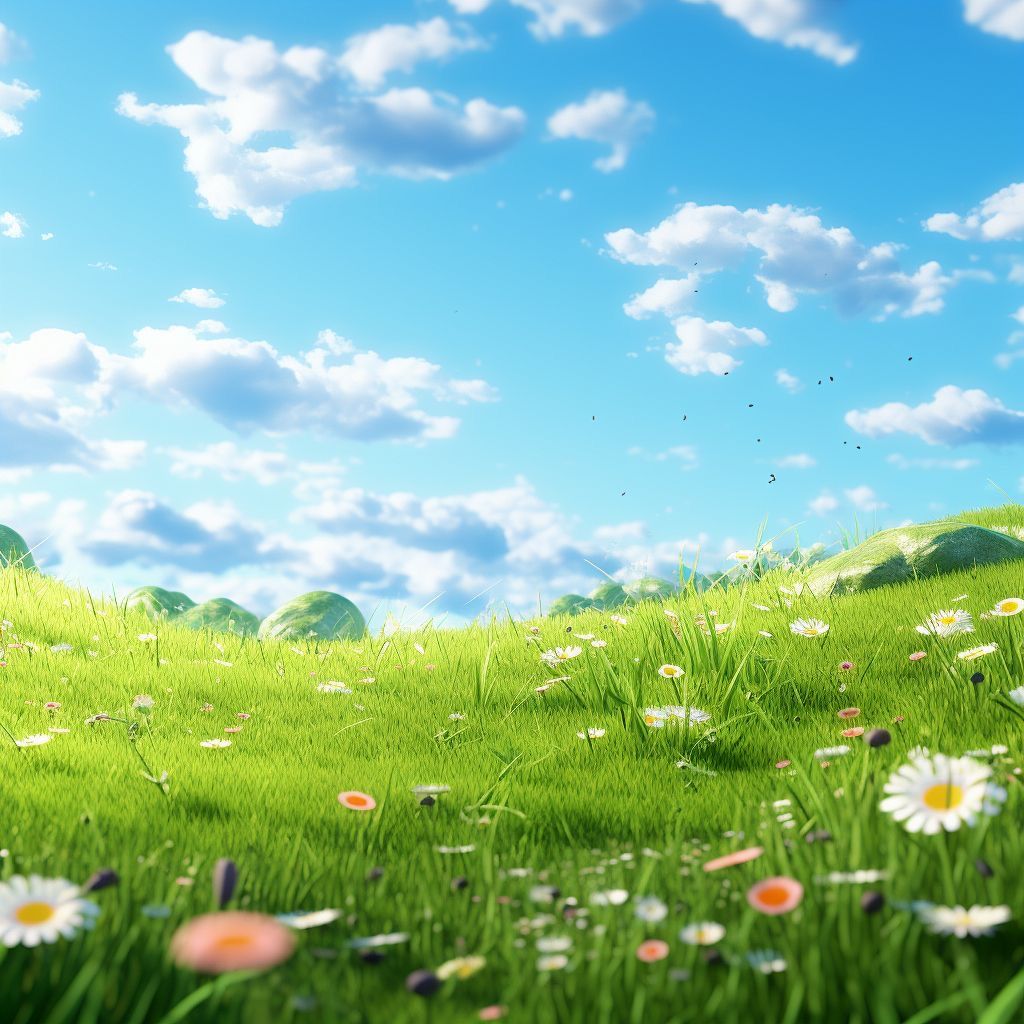
The experience starts with a photo. Users can take a picture or select one from their gallery of whatever is around them in that moment, like a rainy window. There is no need for a perfect image.
Reducing Choice Paralysis
Choose the Poetry Style
Instead of asking users to explain how they feel, the interface lets them choose a poetry style or write their own. They simply pick a style that feels right in the moment.
Reducing Choice Paralysis
Receive Their Poetry
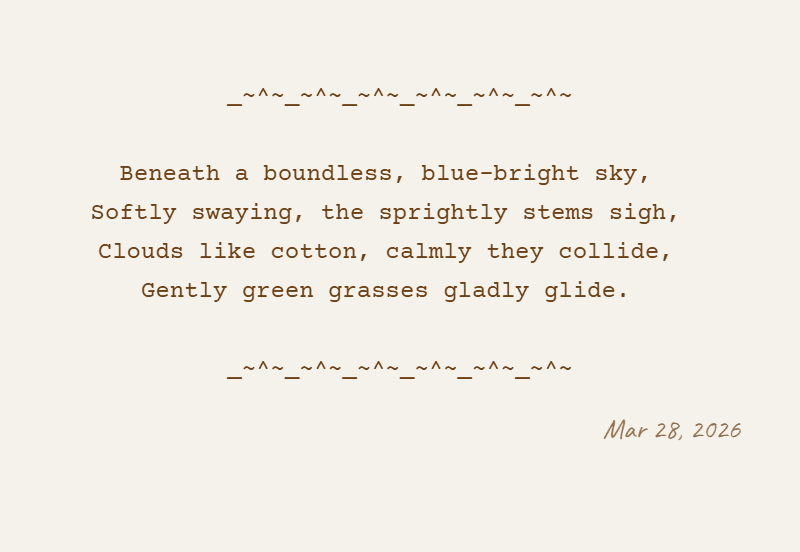
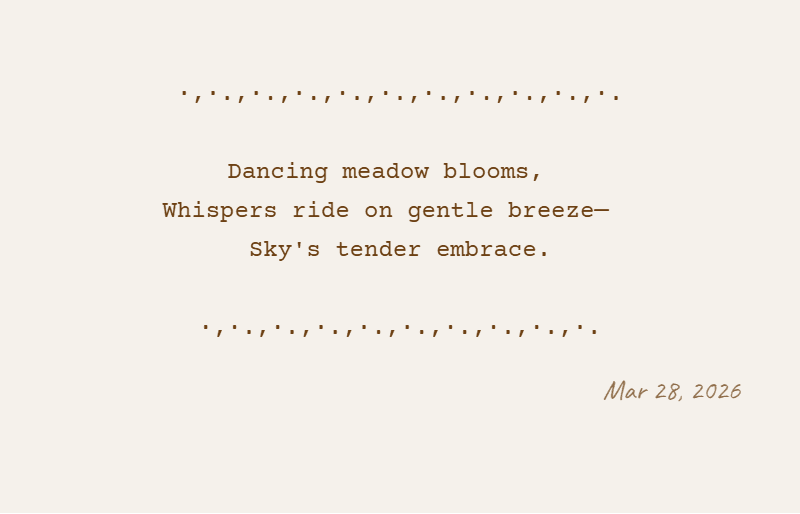
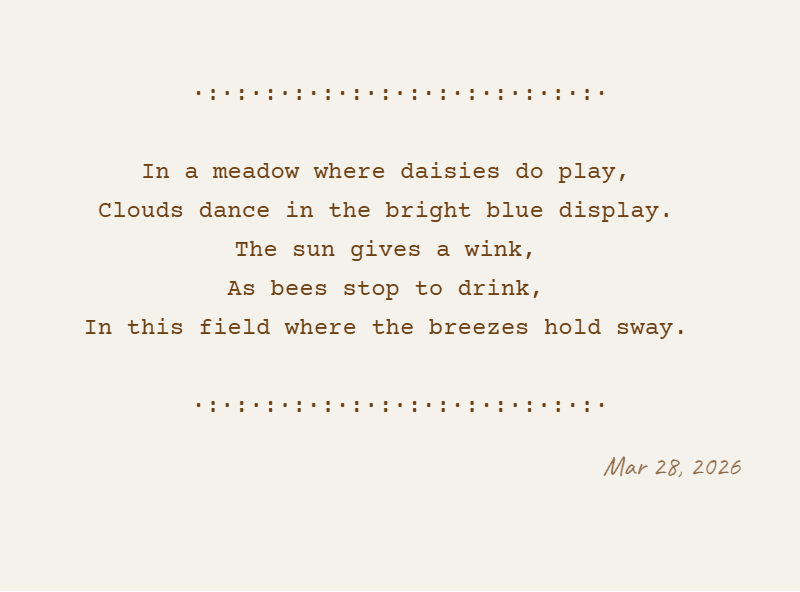
Using the image and selected style, they receive their unique poem.
The poem helps users slow down, reflect, and find meaning in an ordinary moment.
Reducing Choice Paralysis
Receive Their Poetry
By reducing the number of decisions users have to make, the experience feels light, easy to use, and low effort. What starts as a simple photo becomes a personal reflection that helps users reconnect with how they feel.
Reducing Choice Paralysis
Overview:
I noticed that during stressful moments, simple tasks were overwhelming for my friend. Having to explain feelings, write long entries, or make too many choices created friction.
Reducing Choice Paralysis
Overview:
To make reflection feel effortless,
I designed a simple three-step flow: capture a moment, choose poetry style, and receive a personalized poem. The goal was to reduce effort and deliver emotional value within seconds.
Reducing Choice Paralysis
Capture the Moment / Choose from Gallery
The experience starts with a photo. Users can take a picture or select one from their gallery of whatever is around them in that moment, like a rainy window. There is no need for a perfect image.
Reducing Choice Paralysis
Choose the Poetry Style
Instead of asking users to explain how they feel, the interface lets them choose a poetry style or write their own. They simply pick a style that feels right in the moment.
Reducing Choice Paralysis
Receive Their Poetry
Using the image and selected style, they receive their unique poem.
The poem helps users slow down, reflect, and find meaning in an ordinary moment.
Reducing Choice Paralysis
Receive Their Poetry
By reducing the number of decisions users have to make, the experience feels light, easy to use, and low effort. What starts as a simple photo becomes a personal reflection that helps users reconnect with how they feel.
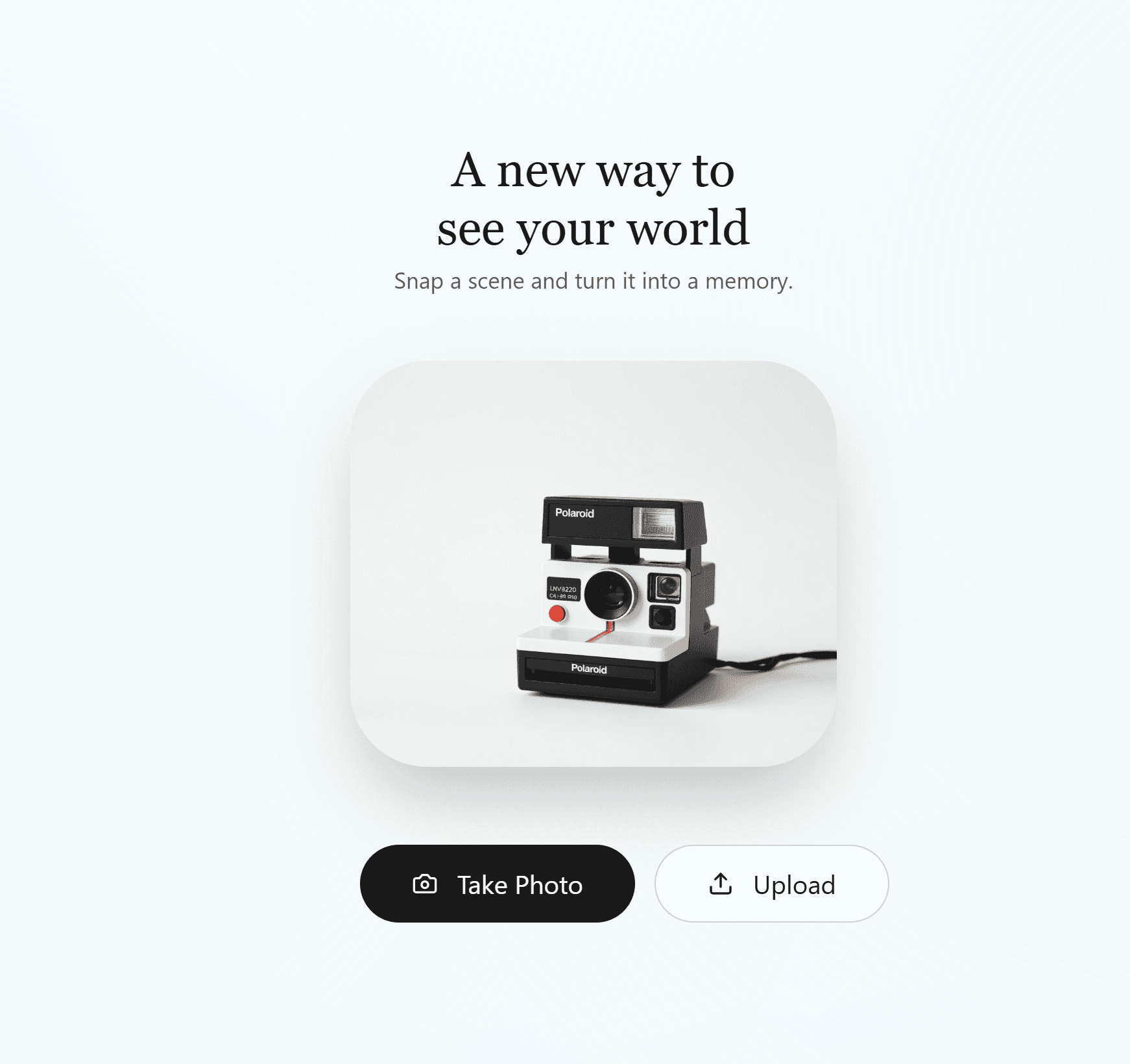
Version one explored a colder, more functional direction for Campoetry’s interface.

Version two aligned the visual design with the emotional purpose of the product.
Version one explored a colder, more functional direction for Campoetry’s interface.
Version two aligned the visual design with the emotional purpose of the product.
The True Metric: Human Impact
Campoetry began as a response to a friend’s experience with burnout, but its value became clearer when others used it. Creatives have used it to solve the problem I built it to help them with.
The True Metric: Human Impact
For some, it created a brief moment
of calm & reflection. For others, it became an easy way to express creativity without pressure.
It reinforced a simple belief I carry forward:
The True Metric: Human Impact
when you design with clarity, simplicity, and empathy, a product can create small but meaningful shifts in how people feel.
The True Metric: Human Impact
Campoetry began as a response to a friend’s experience with burnout, but its value became clearer when others used it. Creatives have used it to solve the problem I built it to help them with.
The True Metric: Human Impact
For some, it created a brief moment
of calm & reflection. For others, it became an easy way to express creativity without pressure.
It reinforced a simple belief I carry forward:
The True Metric: Human Impact
when you design with clarity, simplicity, and empathy, a product can create small but meaningful shifts in how people feel.

The first real sign that Campoetry was working came in the form of a hug.
Trade-offs & Real Constraints
Overview:
The process of building Campoetry formerly called Digital Poetry Camera, involved removing features, fixing mismatches, and adjusting to what the platform could actually support.
Trade-offs & Real Constraints
The early version was only functional
The early version worked, but the interface was cold and plain. It didn’t create the warm and safe feeling the product needed.
Because of this, the visual style was completely changed to something softer.
Trade-offs & Real Constraints
Video recording was removed
The idea originally included video recording, but it quickly became too heavy for the experience I wanted to build.
It added too much effort for users and went against the goal of keeping the product light and easy to use.
Trade-offs & Real Constraints
Lovable Limitations
While building on Lovable, not everything could be controlled exactly.
Even though I preferred a clean stroke, the shadow effect became the default. Since it didn’t affect how the product worked, I kept it.
Trade-offs & Real Constraints
Overview:
The process of building Campoetry formerly called Digital Poetry Camera, involved removing features, fixing mismatches, and adjusting to what the platform could actually support.
Trade-offs & Real Constraints
The early version was only functional
The early version worked, but the interface was cold and plain. It didn’t create the warm and safe feeling the product needed.
Because of this, the visual style was completely changed to something softer.
Trade-offs & Real Constraints
Video recording was removed
The idea originally included video recording, but it quickly became too heavy for the experience I wanted to build.
It added too much effort for users and went against the goal of keeping the product light and easy to use.
Trade-offs & Real Constraints
Lovable Limitations
While building on Lovable, not everything could be controlled exactly.
Even though I preferred a clean stroke, the shadow effect became the default. Since it didn’t affect how the product worked, I kept it.


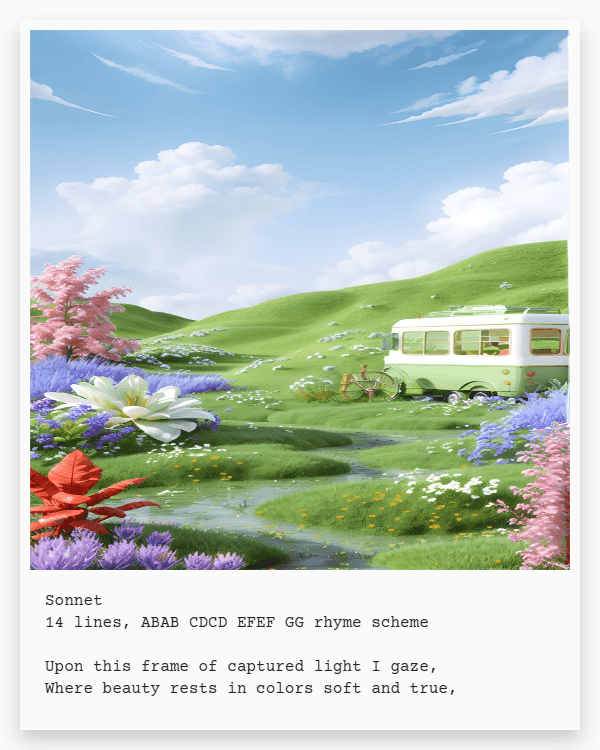
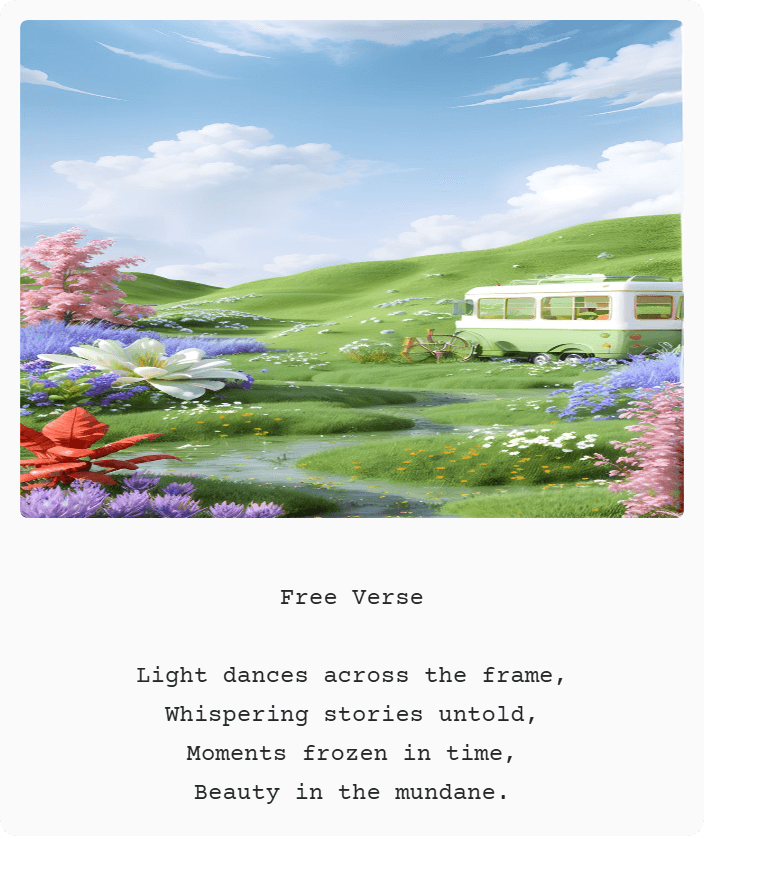


These are early Lovable outputs for Campoetry, created during the idea exploration phase.
This stage focused on defining how outputs would exist both digitally and in printed form.
The experience reinforced empathy as a practical design skill.
By designing for someone experiencing burnout, I learned to challenge my assumptions, prioritize user needs, and make decisions that reduced friction without sacrificing value. The experience strengthened my ability to balance user insight, product thinking, and simplicity in service of a clear outcome.
The experience reinforced empathy as a practical design skill.
By designing for someone experiencing burnout, I learned to challenge my assumptions, prioritize user needs, and make decisions that reduced friction without sacrificing value. The experience strengthened my ability to balance user insight, product thinking, and simplicity in service of a clear outcome.