Creative AI
Thematic UI
Music player UI
Christmas Melodies is an interactive holiday music experience built to celebrate the meaning of Christ’s birth through sound and storytelling.
I designed it as a simple, joyful interface where users can explore curated Christmas songs across genres rooted in the gospel message. The goal was to create a digital moment that feels warm, calm, and spiritually grounding during a busy season.
This project helped me explore thematic UI design, sound-based interaction, and how to build a mood-driven experience using minimal screens.
Why I Built This
Every year, the same Christmas hymns and carols are played, and while they maintain their timeless charm, I wondered:
What would new Christmas music feel like?,
What music that could define the season for a new generation of Christians?
Recording in a traditional studio is often time-consuming, expensive, and energy-draining. I wanted a more accessible approach to creating original songs , one that combines my love for Christmas, music, and creativity with AI tools.
I also wanted people to experience the wonder of Christmas in a fresh way through new songs, with a product that is simple, minimalistic, and intuitive, unlike the typical cluttered, over-designed Christmas sites. This minimalism lets the music itself shine, creating a calm, immersive experience for the listener.
How It Was Created
For Christmas Melodies, I relied on ChatGPT for lyric generation, providing titles, Bible verses, emotional direction, and key lines I wanted included. ChatGPT transformed these inputs into full, readable lyrics while I directed the creative tone and narrative.
The music player is the heart of the project. It was my second-ever custom audio player, and this time everything aligned beautifully, the layout, interactions, and the emotional tone of Christmas music all clicked together to shape the core experience.
The music player is the heart of the project. It has the controls for the next song, previous song and the option to download songs for free.
How It Works
Users land on a clean, minimalistic homepage where they can:
Explore a curated list of Christmas songs
Play songs instantly with no distractions
Download or save the songs they love
Experience each track in a polished, visually calm interface
Key Features (and Why They Matter)
Original AI-generated songs — gives users fresh Christmas music while exploring the creative potential of AI.
Instant streaming — allows users to experience the wonder of the season immediately, without waiting or logging in.
Download option / Ownership — users can own the songs, making the experience personal and meaningful.
Minimalist interface — lets the music take center stage, avoiding visual clutter that distracts from the auditory experience.
Overlay-Based Lyrics Experience
The Lyrics button played a major role in shaping the final experience. Instead of sending users to a separate page, I used Framer’s native overlay system to display the lyrics on top of the player. This kept the interface simple, immersive, and focused.
Although this solution wasn’t perfect, I initially wanted the lyrics to synchronize with the audio, but Framer’s limitations made real-time syncing impossible, having the lyrics accessible still helped users follow the song and stay engaged.
Before arriving at this design, I tried a split-screen layout on desktop:
Left side: the music player
Right side: the lyrics
Scrolling felt smooth, and the player stayed fixed.
But on mobile, this completely broke the experience. There was no reliable way to maintain a fixed player, and the layout felt cramped and unintuitive.
So I started exploring alternatives. After researching interaction patterns, I tested the lyrics overlay, and it worked beautifully across all breakpoints. It preserved the listening experience, reduced friction, and created a cleaner, more intentional flow.
This design choice became a turning point, a reminder that simplicity, adaptability, and user comfort often lead to the most effective solutions.
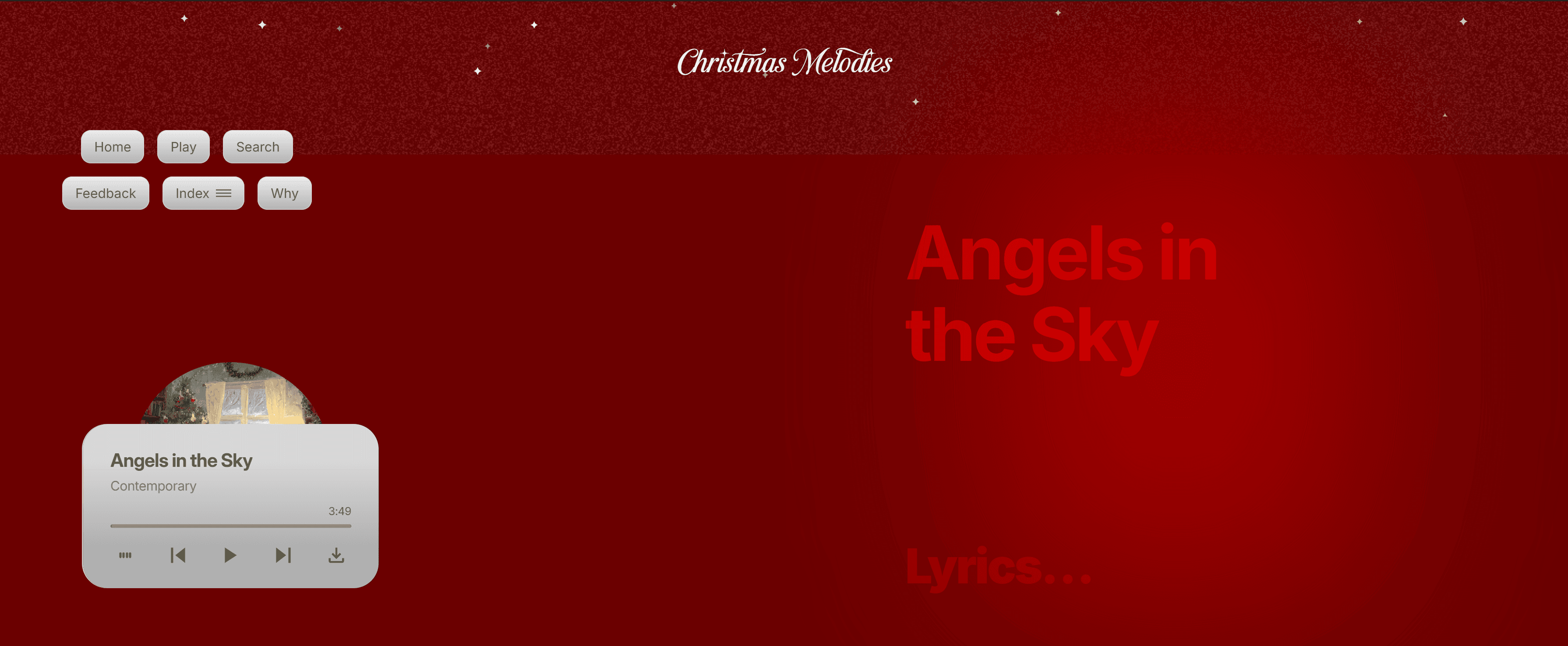
I created this split layout for the desktop breakpoint, and while it worked visually, it wasn’t adaptable to mobile.
I finalized this lyrics button using Framer’s overlay component. It was the only approach that scaled cleanly across every breakpoint (Desktop, Tablet, and Mobile).
What I Learned
1. How to Experiment with AI Beyond Familiar Tools
This was my first project using AI for music creation. Using Suno AI, I was amazed at how realistic the songs sounded, harmonies, instruments, and production quality felt almost studio-level. It expanded my understanding of AI as a creative partner beyond text and visual design.
2. Exploring Genre and Creative Diversity with AI
I discovered how AI can help experiment across different musical styles and genres. By guiding Suno AI with precise prompts, I could generate songs ranging from traditional carols to modern, upbeat tracks, all while maintaining a cohesive Christmas feel. This taught me how to push AI creatively, explore multiple directions quickly, and make intentional artistic choices without being limited by my own musical skills.
3. The Value of Creative Ownership
Owning the rights to the songs made the project feel deeply personal. I learned the importance of having control over creative outputs in AI-assisted workflows and how that shapes the sense of responsibility and pride in your work.
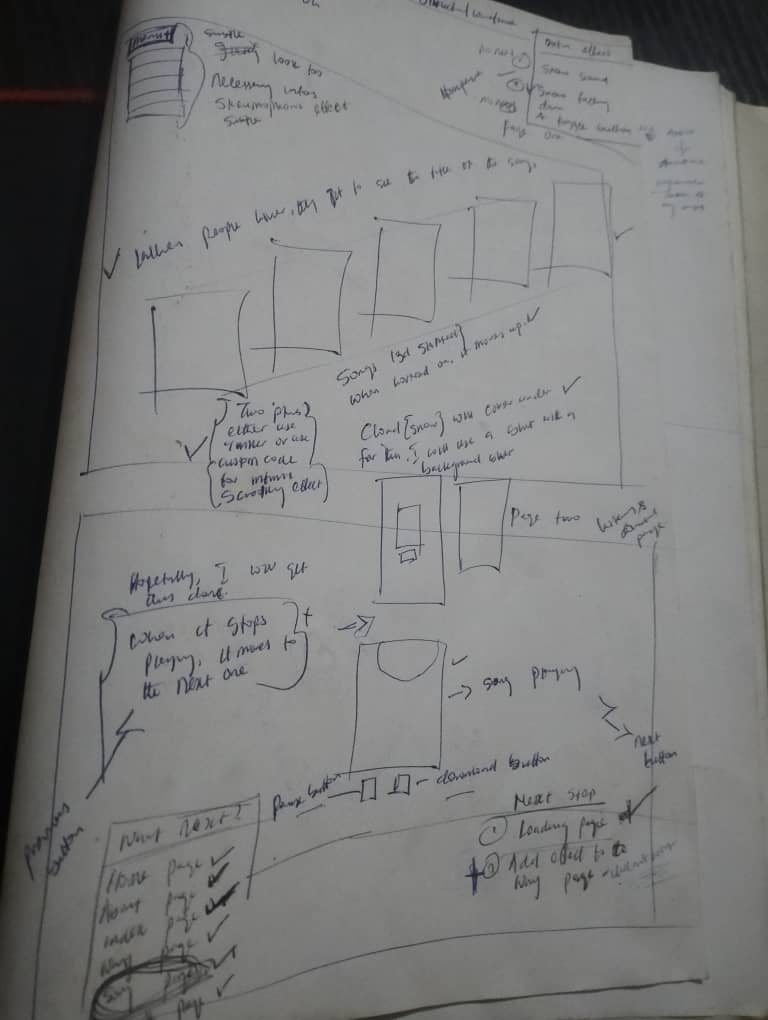
I started by sketching the wireframe and user flow in my notebook. As the design evolved, I exceeded my original plan, and the final outcome made the extra effort worthwhile.
Core Experience Design
Christmas websites are often loud, busy, and visually heavy. I intentionally went for the opposite:
minimal interface
soft color choices
clean, readable fonts
uncluttered flow
This allowed the music and lyrics to take center stage. The goal wasn’t to keep users on the site for long, it was to offer them something beautiful, then let them leave enriched.
Some users still explored the platform deeply, which made the experience even more rewarding.
Edge Cases & Experience Enhancements
One of the most intriguing parts of Christmas Melodies is the 404 page. Rather than a frustrating dead-end, I transformed it into a soft landing after users explore all 29 songs.
Most users expect an error page to signal a problem, but here it serves as the final chapter of the experience, maintaining the emotional tone and keeping the journey cohesive.
It turns a typical edge case into a delightful, intentional, and memorable moment, leaving users with a sense of closure instead of frustration.
This design decision highlights how even “errors” can be opportunities to enhance storytelling and engagement.
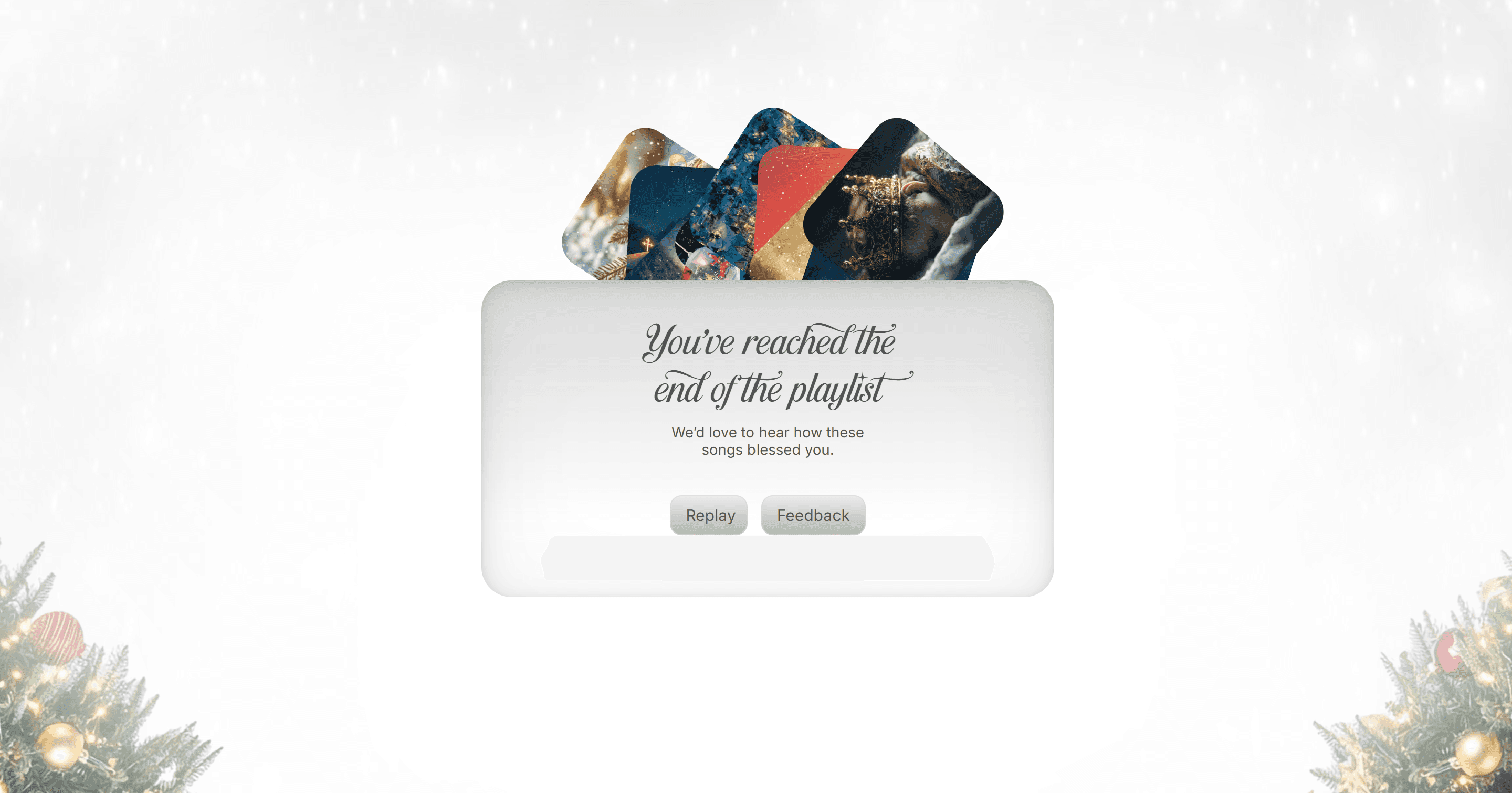
A 404 page that completes the journey, not breaks it.
User Testing & Feedback
During testing, I noticed that first-time users were unsure how to interact with the platform. Initially, the site invited users to “celebrate the Christmas season with songs from different genres rooted in Christ’s birth,” but there was no clear call-to-action.
Some users didn’t know they could tap any card to listen, especially those unfamiliar with the concept of Christmas Melodies. Returning users, who already understood the platform, were able to navigate it intuitively.
Adding a direct, visible call-to-action solved this issue. It guided all users, reduced confusion, and ensured the experience was smooth and enjoyable, regardless of prior knowledge.
The initial Home Page with no clear call-to-action
Product Constraints
1. Platform Limitations
Because the audio system was connected to Framer CMS, I couldn’t fully customize some parts of the playback logic or interaction behavior. This required careful decision-making and a willingness to build within fixed structural boundaries.
2. Hosting Choice & Experience Trade-off
I originally considered hosting the songs on Audiomack, but that would have taken users outside the world I wanted to create.
I wanted a contained universe where only Christmas Melodies existed, so I chose to host everything directly inside the project—even though it required more work and more compromises.
3. Designing for Mobile
My research showed that most users would come from mobile, so mobile-first design was essential.
However, fitting everything—lyrics, audio controls, and Christmas mood—on a small screen without losing the experience was difficult. I had to refine spacing, interactions, and layout many times to maintain clarity and usability.
4. Evolving From 2 Pages to 5
I initially planned the interface to be just two simple pages, but as the experience grew, it expanded into five meaningful screens.
Each new page was added intentionally—either to support usability, guide users better, or enhance the emotional flow.
This showed me how products evolve naturally when you're designing for clarity, not just minimalism.
Challenge
Community Perception
Although friends and family have loved it, the broader audience may respond differently. Music is highly subjective, and introducing entirely new Christmas songs carries the risk that it may not resonate immediately with traditional listeners. This highlighted the challenge of balancing innovation with familiarity in culturally significant creative experiences.
This is the Feedback page, designed to capture real-time input and reactions from users as they engage with the product.