Retro UI
AI-assisted build
Single screen experience
Vintage Radio is an interactive retro-themed audio experience inspired by old FM/AM radios.
The goal was to recreate the nostalgia of tuning a classic radio, but with a modern digital twist, allowing users to explore curated stations, and themed audio in a warm, vintage interface.
This project challenged me to blend aesthetic storytelling with functional UI, creating an experience that feels both playful and immersive.
Why I Built This
The inspiration came from something simple: the local mobile radio on old feature phones. I’ve always loved how they allowed you to tune into stations instantly without creating any account and no stress.
At the same time, I noticed how scattered online radio experiences are today. To listen to different global stations, you have to jump from website to website. I wanted to recreate that local radio simplicity, but for the entire world.
To make the experience feel familiar, I designed it with a touch of 2017/2016 nostalgia, a visual style that reminds you of older radio interfaces, adding warmth and charm to a modern concept.
Creative Process
Vintage Radio was built as a combination of multiple AI-driven components, each designed as a separate mini-product before being integrated into a single cohesive experience.
The speaker grille is its own component, while the spinner which is the core interaction of the radio is another standalone component.
I used GPT 5.1 inside the Framer workshop to generate prompts, iterate designs, and fine-tune functionality. Although the interface appears simple, achieving a smooth, seamless experience required over a hundred prompt iterations to get exactly what I wanted, from responsive behavior to realistic tuning interactions.

This is the speaker Grille Component
How It Works
My goal was to recreate the familiar thrill of tuning through stations but with global content. Users can move between stations in New York, San Francisco, Washington D.C., and more without opening multiple tabs or apps.
Refined UX decisions
Nostalgic interface: I intentionally kept the layout reminiscent of older radios, from the tuner to the speaker grille, to evoke familiarity and warmth.
Simple interaction flow: Switch on the radio → turn the dial → tune to a station → start listening. No login, no clutter, no unnecessary steps.
High accessibility: Large tuner area, clear labels, and intuitive layout make it usable for a wide audience.
One-screen experience: Everything stays on a single page to replicate the simplicity of a traditional radio.
Key Features (and why they matter)
Radio Tuner — gives users a tactile sense of “browsing” stations, recreating the physical radio experience.
Station Indicator — clearly shows which station is currently tuned, improving usability and reducing confusion.
Speaker Grille Visual — adds aesthetic nostalgia and reinforces the feeling of using a real radio.
Global Stations — allows users to hop between cities and cultures instantly.
AI Prompts & Technical Approach
This was the most demanding part.
I prompted the system over 105 times to refine the tuner mechanics, interface layout, and logic.
This taught me:
how to break large problems into small promptable tasks
how to guide AI with precise language
how to iterate quickly until the interface felt right
how to maintain design consistency through clear, structured prompting
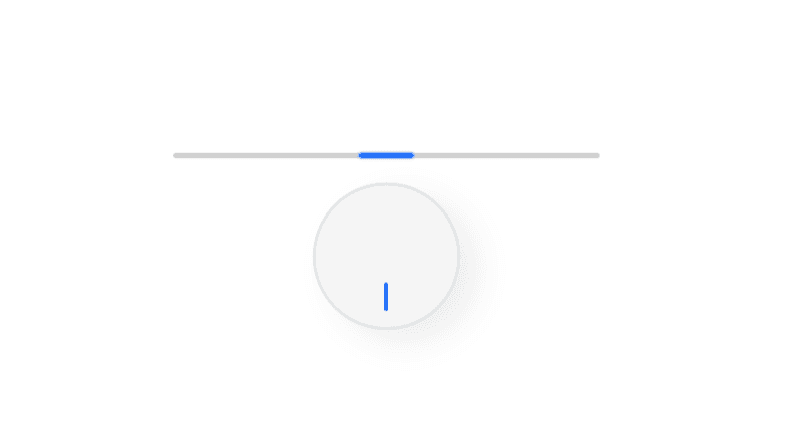

The radio tuner is the centerpiece of this product, managing the station name, indicator light, and buffering. I went through 107 iterations before achieving a result I was truly happy with.
Usertesting & Feedback
During testing, some users experienced interruptions due to limited internet connectivity, which caused stations to load slowly or produce no sound. To address this, I added a buffering indicator on the interface, providing real-time feedback that the station is loading. This ensures users aren’t left uncertain and improves the overall listening experience, especially for those in areas with unstable connections.

The buffering indicator on the interface that ensures users are not left uncertain and improves the overall listening experience, especially for those in areas with unstable connections.
What I Learned
1. How to Merge Nostalgia with Modern Functionality
Recreating the feel of an old-school radio in a digital interface taught me how to balance familiarity with modern expectations. I learned to use layout, visuals, and interaction patterns to evoke emotion while keepizng the experience fast, intuitive, and accessible.
2. The Importance of Clear Communication with AI
Iterating through 105+ prompts showed me how critical precise instructions are when designing with AI. I learned to break down complex features into manageable tasks, refine outputs patiently, and guide the AI to produce consistent, functional, and aesthetically aligned results.
3. Rapid Prototyping with AI Tools
This project reinforced the power of AI-assisted prototyping. I learned how to quickly bring an idea to life, test interactions, and explore creative concepts that would otherwise require a full team and significant resources.
4. You Cannot Rush AI Product Building
AI makes development faster than hard coding, but it does not deliver perfect results instantly. Success requires persistence, repeated prompting, and careful refinement to achieve the desired outcome.
Challenge
Internet Dependency
The app relies on stable internet to stream global radio stations. Users in areas with low connectivity may experience delays or interruptions, highlighting the importance of considering network limitations in digital product design.
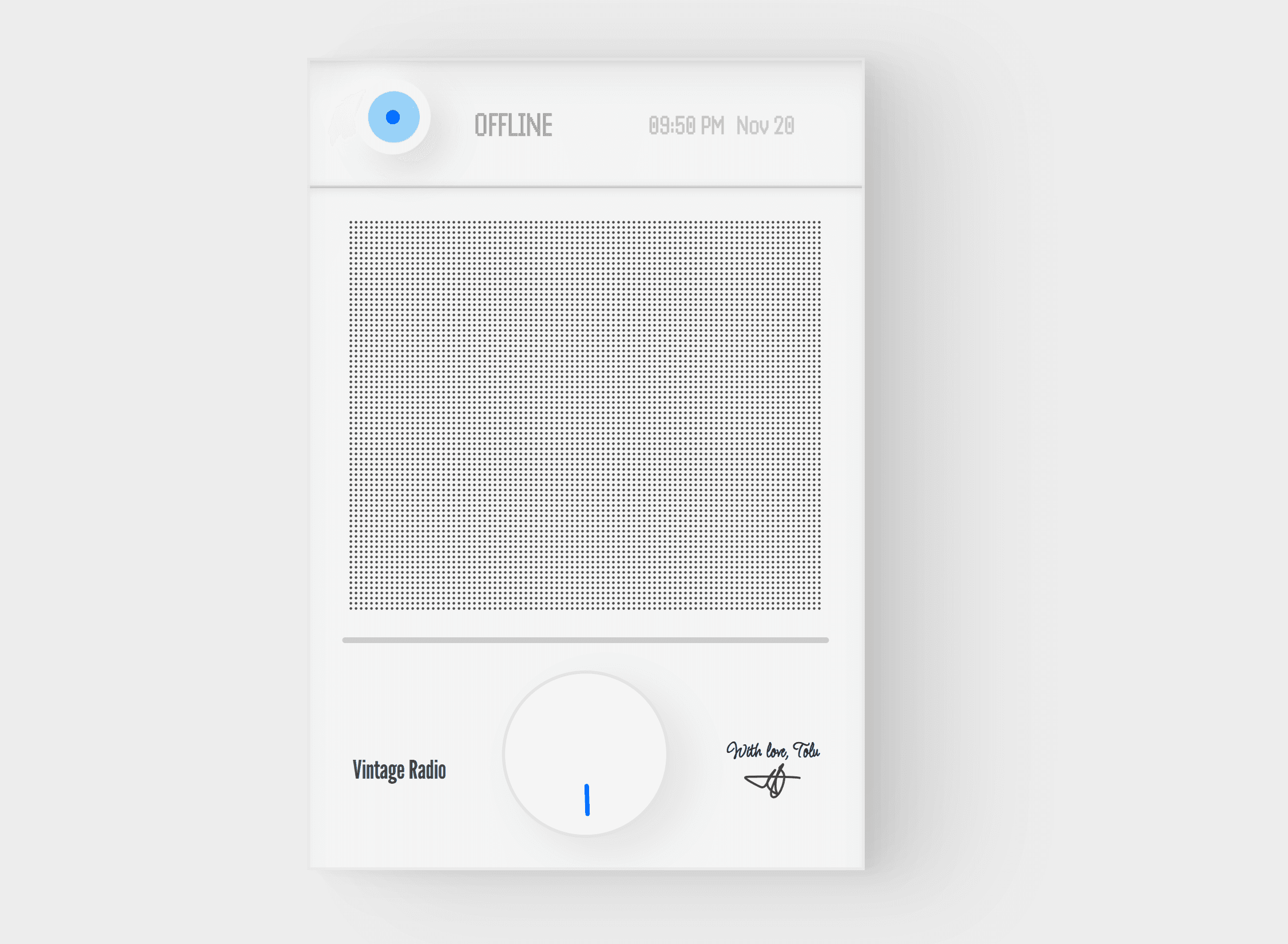
A Screenshot of the Vintage Radio
Tolu Ali